
Claude Code for HR
Learn to build and automate your HR work with AI, by actually doing it. No coding required.
A free, hands-on course for HR & People professionals. Thirteen short lessons, 3–5 hours, inside a fictional Prague company with the same HR mess you already know. You'll leave with real working artifacts, including a web page you put on the internet yourself.
The course is free. Claude Code is not.
It runs on a paid Claude subscription (Pro or Max), and the free tier of claude.ai won't open it. Without a plan you'll get through the download and no further, so check now rather than at step three.
That's Anthropic's pricing, not ours; we don't see a cent of it and there's nothing to buy from us. Pro starts around $20 a month and you can cancel after one, so doing the course over a weekend and stopping there is a legitimate way to use it.
Already paying for Claude? You have everything you need.
What you'll actually do
Not a syllabus. This is what you walk away with.
- Dig a real finding out of thirteen files your predecessor left behind, and write the briefing that makes the case for it.
- Turn a messy manager brief into a job description worth publishing.
- Build your own /new-jd command, then use it to write the role three people quit for want of.
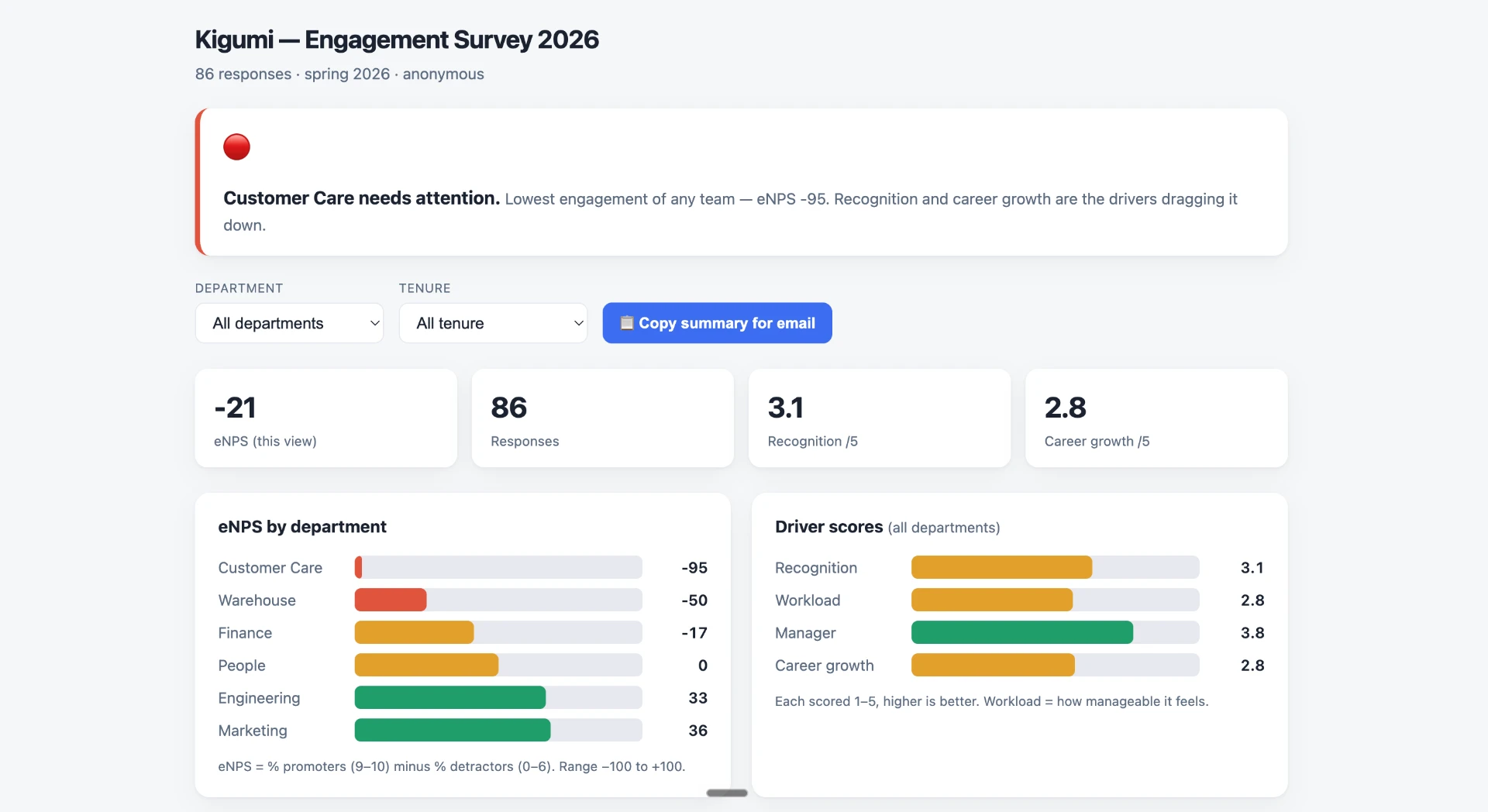
- Take a raw engagement survey and end up with an interactive dashboard that proves the finding with numbers.
- Put a careers page with both your job descriptions on the internet, at a live address you can send to anyone.
- Clear a contract-filing backlog you would otherwise have worked through by hand.
Thirteen lessons, 3–5 hours. Take a module at a time.

Who it's for
- HR and People professionals doing the actual work: hiring, onboarding, engagement, comp, the lot.
- People with no coding background and no ambition to acquire one.
- Anyone who's been told to “do something with AI” and would rather have a working artifact than a webinar.
Who it's not for
- Developers. Claude Code for Everyone covers you, and covers you better.
- Anyone after a prompt-engineering course. You'll write prompts here, but they're the means, not the subject.
- Anyone who wants to watch rather than do. Every lesson asks you to type something.
Getting started takes about five minutes.
- 1.
Check your Claude plan. You need Pro or Max, because the free tier won't run Claude Code. Sign in at claude.ai; if you can see your plan under Settings → Billing, you're set.
- 2.
Download the Claude desktop app. Get it at claude.ai/download, install, and sign in with the same account. This is the only tool you need: no terminal, nothing technical.
- 3.
Download the course folder. Then unzip it somewhere you'll find it again; your Documents folder is a fine home. You should end up with a folder called claude-code-for-hr.
- 4.
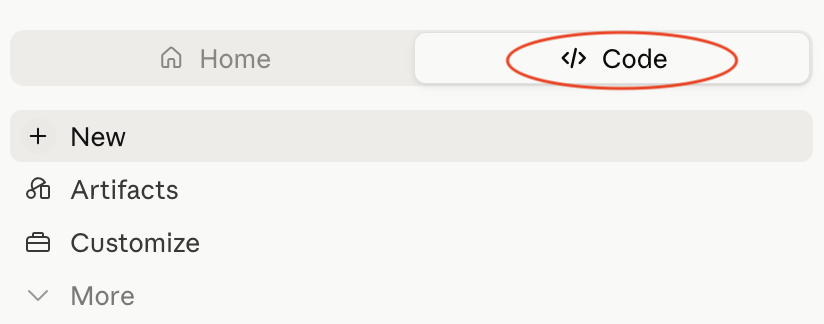
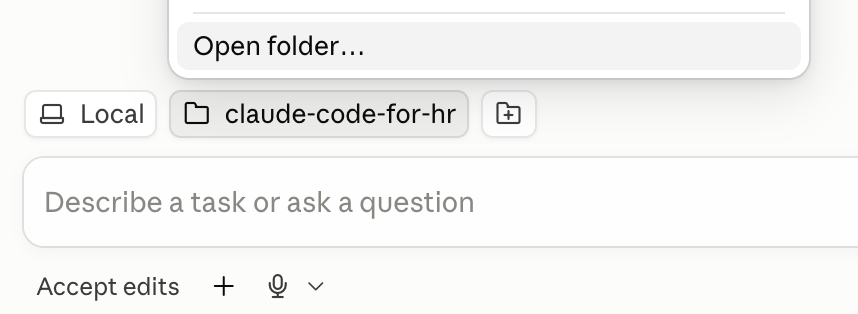
Point Claude at the folder. Open the Claude app and click the Code tab in the left sidebar. At the bottom of that screen, use the folder selector to choose your unzipped claude-code-for-hr folder, then start a new session.
- 5.
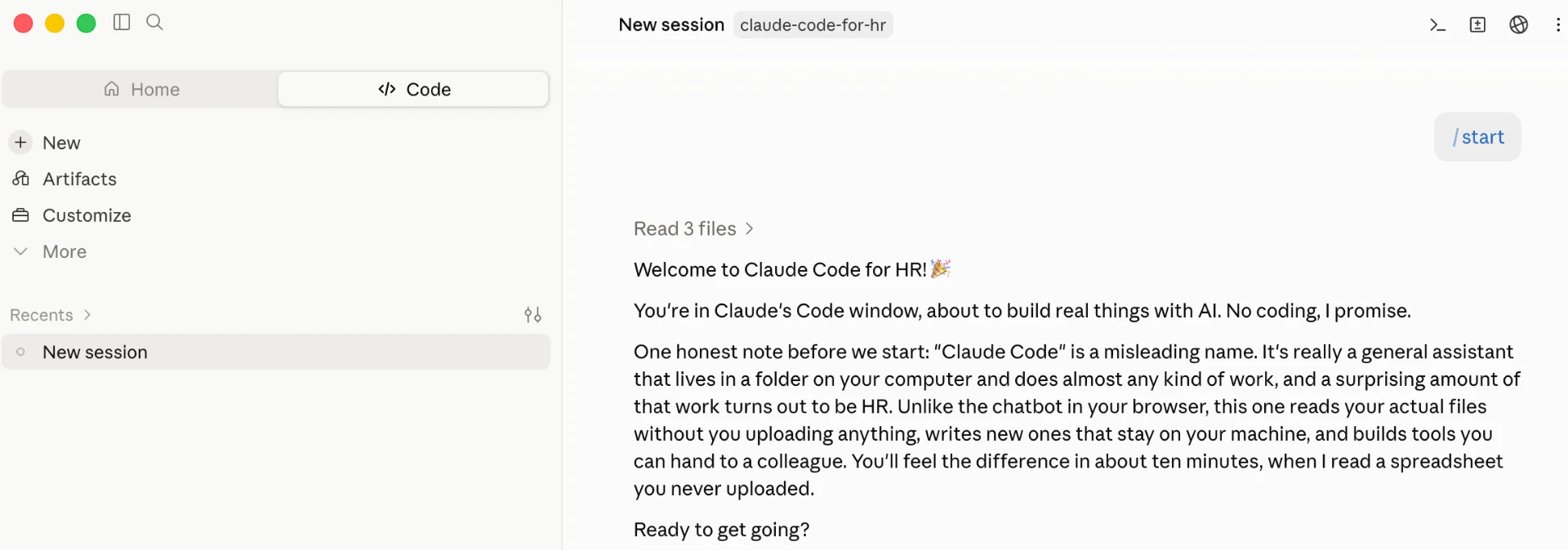
Type /start and press enter. That's it. Your mentor introduces itself, explains how everything works, and waits for you at every step. It assumes you've never done anything like this, because most people haven't.

Stop whenever you like. Your progress lives in the folder, so when you come back in a fresh session, the course picks up exactly where you left off.